Together we grow Joomla: how to blog about Joomla
Joomla is a super powerful, flexible, fast, accessible and secure content management system that lets you create any kind of website. We all know that. And we all keep wondering why it’s not the most widely used CMS (since it is the best open source CMS there is 🙂). We can grow Joomla together, and here’s how.
Growing Joomla comes down to one thing: get the message out in as many ways as possible. Some famous guy once said: “If no one talks about it, it doesn’t exist” - OK I just made that up, but there’s some truth in it. Not enough people know Joomla, and if they have heard of it, they often don’t know the full power of Joomla.
Here’s when you come in: you can become a Joombassador and help push Joomla forward in any way you can. For example by blogging about it. One person blogging might not make a difference, a thousand will. Be loud and proud: Joomla deserves it.
So: blogging. How do you do it, what topics should you choose, and what does a good blog look like anyway? This article explains it all!
Let’s start with some tips
If you’ve never written a blog before, these tips may come in handy:
- Put yourself in the shoes of a reader who doesn't know anything about the subject
- Make sure your title is either spiking curiosity or really clear about the topic
- Keep your sentences short
- Use subheadings that mean something and / or make your readers curious
- Don't make it too long. Anything between 400 and 1500 words may work, depending on the topic
- Place whitespaces in long paragraphs or use extra subheadings
- If you’re sure you will write many blogs, use tags, subcategories or custom fields to sort your blog pages
- The ideal moment to write your (catchy) intro is when you’ve written everything else and are happy with it
- End your blog with a conclusion, a summary or a call to action
Topic #1: Why Joomla is the perfect solution for…
We all know you can use Joomla for all types of websites: corporate sites for large and small companies, personal blogs, intranets, webshops, magazines and news sites, community sites… The possibilities are countless. Pick one and tell your audience why Joomla is ideal for this, or describe how you'd do that (or how you did it) with Joomla.
Numbers might work here: “10 reasons to choose Joomla for your company's website” is relatively easy to write and spikes curiosity.
Topic #2: Extensions
The personal approach: what extensions would you recommend? What do you use extensions for? This one is also great for the numbers type of blog: “5 Joomla extensions we use on all our websites” or “7 Joomla extensions that will make your life easier”.
You could also compare extensions that provide similar functionalities, like a form builder or a SEO plugin.
Topic #3: Showcase
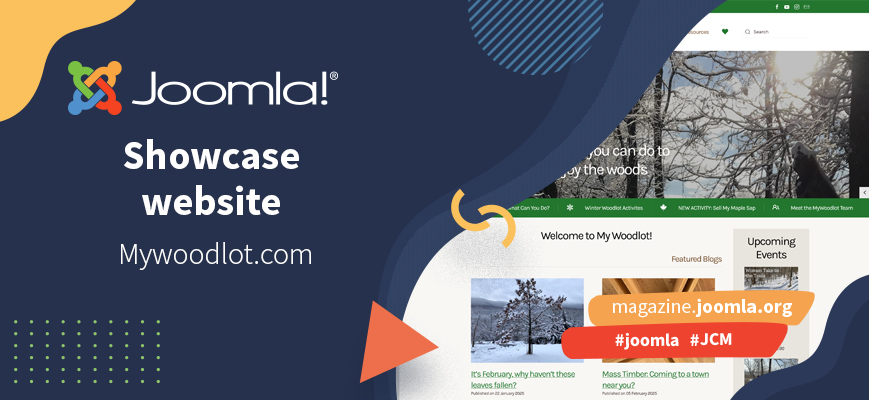
Find Joomla sites that are gorgeous, or well-structured, or appealing otherwise (because they're made for famous people or big brands), write about why they're great, add a screenshot if possible.
If you created such sites yourself, show your pride! Tell your audience what you made and why and how you used Joomla for this.
Topic #4: Comparison
Compare extensions, as mentioned above. Figure out the most important functionalities, pros and cons, pricing, and make a clear and understandable comparison.
Or, if you know your way around other content management systems as well, compare them to Joomla.
Topic #5: Tutorials
How-to's make a very interesting blog topic. Show your readers smart ways to do things, or just the Joomla basics. Herman Peeren wrote a great article about making tutorials: https://magazine.joomla.org/all-issues/february-2025/a-tutorial-to-make-a-tutorial
Topic #6: Snack-size feature explanations
Also nice: a small blog about hidden secrets, features that are there but not very well known, or a super simple how-to for something really small. Just a few paragraphs (max 400 words), a couple of screenshots and you're good to go.
Not a topic but a tip: Translate JCM articles
If you're unsure about your writing skills or have writer's block, you could translate JCM articles in your own language to share them with your local community.
This article tells you more: https://magazine.joomla.org/all-issues/july-2022/how-to-translate-jcm-articles-in-your-own-language
Some articles published on the Joomla Community Magazine represent the personal opinion or experience of the Author on the specific topic and might not be aligned to the official position of the Joomla Project